¶ Guild Progression Tiers
¶ Intro
Imagine you want a multi-tier Guild Roles, through which your members progress… This can be about anything: PvX, crafting, trading etc.
For example, a guild might wish to have a following hierarchy for their Crafters:
Novice > Journeyman > Master > Grandmaster
Or multiple tiers of progression in PvX content, where each tier has certain PvX content in them as requirements, sorted in an increasing difficulty.
To address these needs, GuildPlanner.Pro (“WebSite”) introduces the concept of Progression Tiers.
Currently we only support PvE Tiers, more coming soon!
Progression Tiers can have certain criteria attached to them. These criteria can be based on the content cleared (i.e. achievements unlocked), gear acquired, or something basic like a DPS requirement for DDs.
Members of the guild will have progress bars on their Character pages, showing how far they have progressed in certain Tiers.
Guild leadership, based on these progression data, will be able to promote or demote their memberbase.
Progression Tiers are used in creation of Multi-Tier/Hierarchical Guild Roles, which in turn can be assigned to guild members.
Since most of the time the members of the guild won’t have 100% tier completion, promotions and demotions within guilds are always performed manually by guild leadership. In order to avoid mostly-unnecessary calculations in backend, we don’t plan to have automatic progression management in near future!
¶ Configuring PvE Tiers for Guild
Guild leader can configure PvE Tiers in guild administration panel very easily:
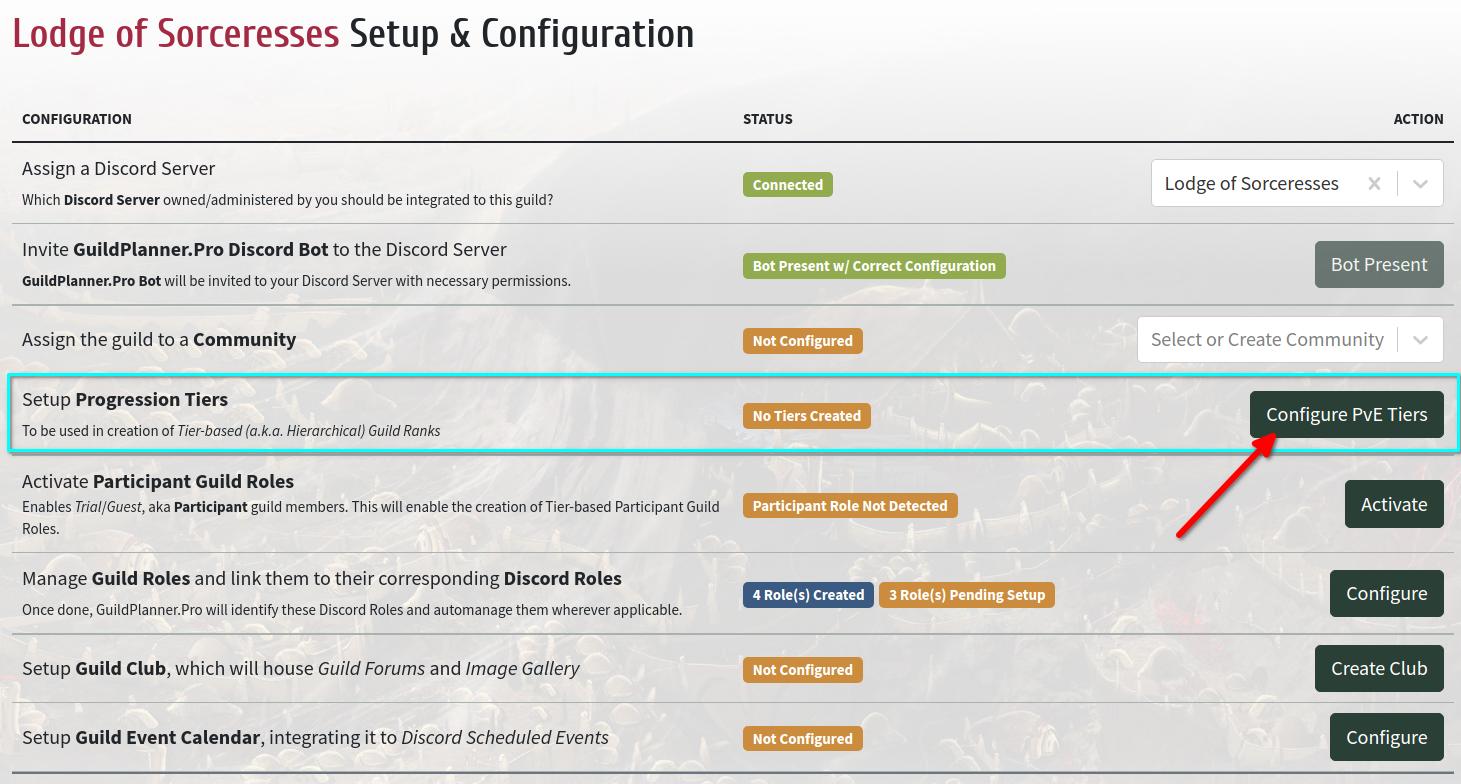
Clicking Configure PvE Tiers button opens a modal window, where a guild leader can configure their PvE tier setup:
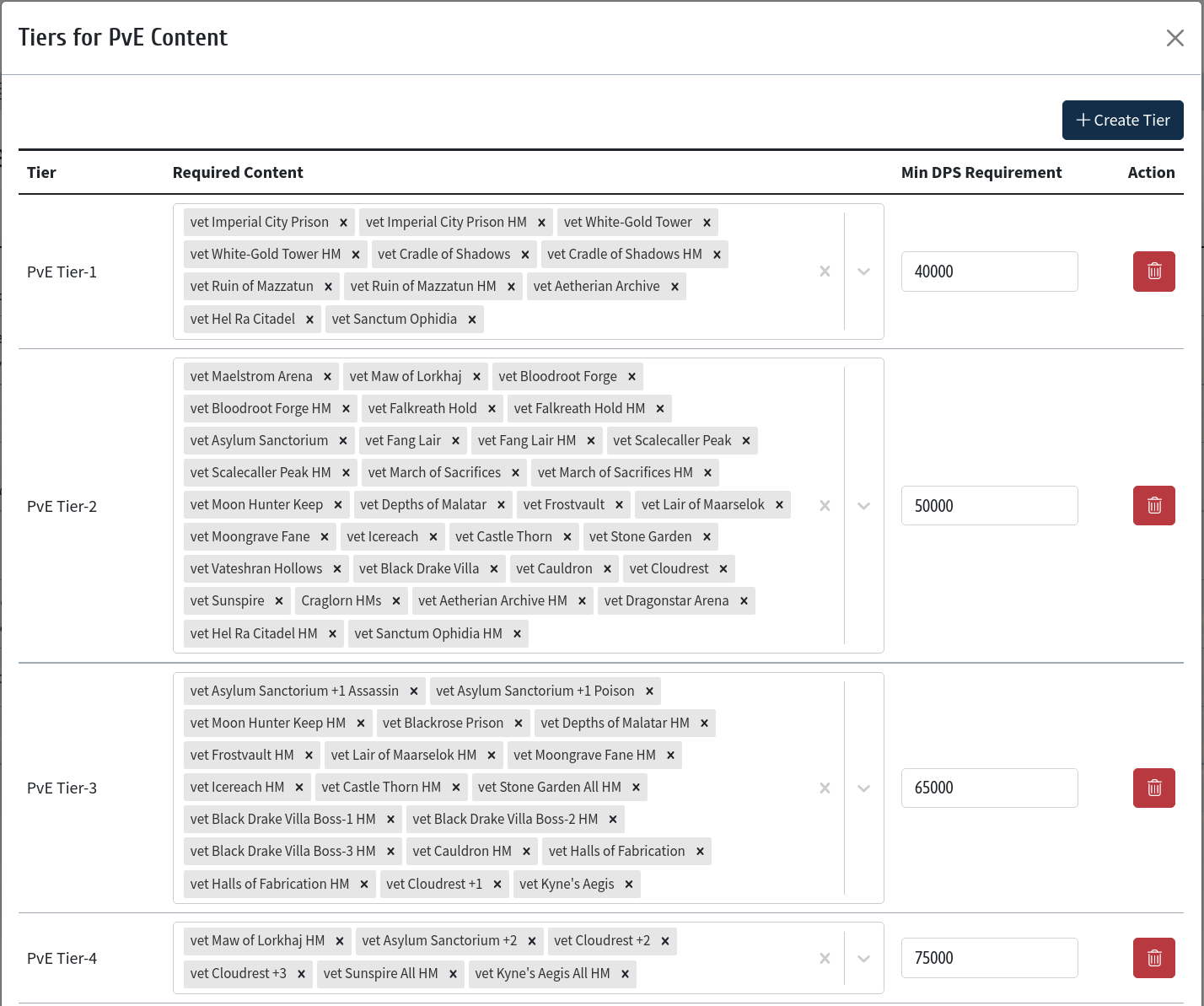
Be careful when it comes to deleting a Progression Tier: the associated Guild Role will also be deleted, revoking it from the members having it. As a result, these members will lose related Discord Roles as well.
¶ Associating Progression Tiers with Guild Roles
Read more about associating Progression Tiers with Guild Roles on our Tier-based Member Roles Example.
¶ Assigning Progression Tiers to Members
Once Progression Tiers are defined, Guildmasters can start ranking their members, assigning Tier levels to them. This is done in Members section of guilds:
- Visit Members section of your guild.
- For games where guild membership is account-wide, you will see your roster as a list of Game-Profiles (e.g. ESO or GW2 guilds).
- For games where guild membership is character-based, you will see your roster as a list of Characters (e.g. FF14).
- Upon visiting Guild Tier Progression page of a member, you can see their progression.
- Promote the member to a Tier, or Revoke an existing Tier.
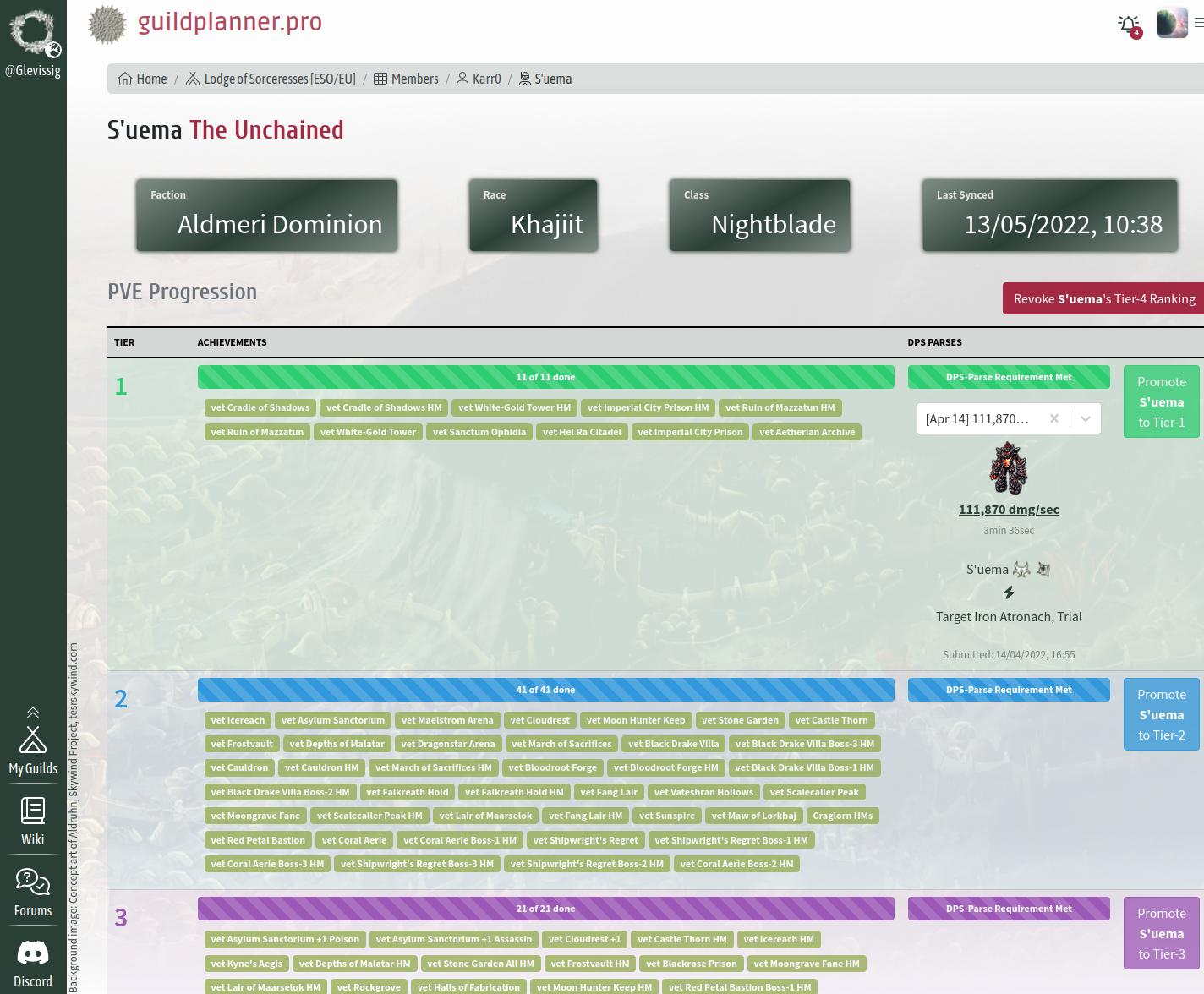
Once assigned a Tier level, the member in question is auto-assigned the related Guild Role associated with that Tier. If that Guild Role in turn has a Discord Role assigned to it, the member in question will automatically be assigned that Discord Role as well. Revoking a Tier level also has a similar effect: associated Guild Role is revoked from the member, also revoking related Discord Roles.
Be careful when it comes to deleting a Progression Tier: the associated Guild Role will also be deleted, revoking it from the members having it. As a result, these members will lose related Discord Roles as well.